

September 24, 2026
AI Trading Isn’t Free: The Hidden Cost of Trading Agents
This article provides general educational and informational material. It does not provide trading, investment, financial, legal, tax, or purchasing advice. Pricing and product limits can change. Verify current costs, plans, fees, and usage rules with the platform and AI provider.
An AI connection to your trading platform can come with several separate costs. Your platform may include its MCP server, while the AI client charges a subscription or the model provider bills for API usage. Market data can add another fee.
A connected agent can also consume more AI usage than a normal chat because one request can trigger several tool calls.
MCP and AI usage are separate costs
MCP, or Model Context Protocol, gives an AI client a standard way to use tools from another application.
The platform may include that connection at no extra charge, but the AI service can still carry its own price.
Your setup may include charges for:
- The trading platform or a paid plan
- The AI application or subscription
- Usage credits or API tokens
- Extra AI tools or services
- Market data
When a platform says “MCP included,” check the AI provider before assuming the whole workflow comes with the same price tag.
How MetaTrader, cTrader, and TradingView handle the connection
cTrader: cTrader says it includes its MCP servers with a cTrader account. You still need a supported AI client. That client may use a free plan, a subscription, a usage quota, or a paid API.
TradingView: TradingView says its MCP beta comes with Essential and higher plans. TradingView can limit requests during the beta. Your AI provider can impose a separate limit or fee.
MetaTrader 5: MetaQuotes says signed-in MQL5.community users can use a free MQL5 Lite option. MetaTrader also lets users enter API keys from providers such as OpenAI, Anthropic, and Gemini. If you use a paid API key, that provider bills the usage under its own terms. See the MetaTrader 5 AI integration notes.
Tokens: the meter behind many AI APIs
AI providers use tokens to measure how much text or data a model processes. Your prompt uses input tokens. The model response uses output tokens. Long documents, price histories, account records, and large chat histories can increase the amount of data the model processes.
Some AI apps bundle usage into a subscription or quota. API setups tend to show the meter in more detail because the provider can bill you by usage.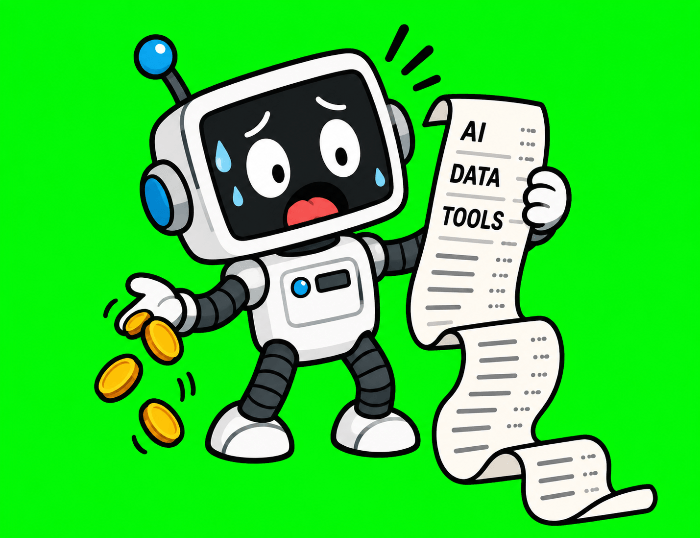
As of September 21, 2026, OpenAI lists GPT-5.6 Sol at $4 per million input tokens and $20 per million output tokens for standard short-context pricing. GPT-5.6 Luna is listed at $0.20 per million input tokens and $1.20 per million output tokens. Anthropic lists Claude Sonnet 5 at $2 per million input tokens and $10 per million output tokens.
Use those numbers as examples, not permanent prices or model recommendations. Providers can change pricing, and some features can use separate rates. The same workflow can cost much more on one model than another.
One prompt can trigger many AI calls
Ask a chatbot, “What is a moving average?” and the model can answer from one prompt.
Ask a connected agent to check a watchlist, pull 200 candles for each pair, review open positions, compare the results with trade history, and summarize unusual moves. The agent may need to:
- Interpret your request
- Call one or more market-data tools
- Read the returned data
- Call an account or history tool
- Process those results
- Repeat tool calls across several symbols
- Write the summary
You typed one prompt, but the system may have processed several rounds of data and model output.
Promoted: Want to Test an AI Workflow Without Risking Your Own Capital?
An agent that scans watchlists and reviews positions all day only earns its keep if the strategy behind it holds up. FundedNext lets you prove that strategy on simulated capital up to $200K before your own money is on the line, with no artificial time limits on the challenge and a 15% profit share during the evaluation.
Once funded, you keep up to a 95% profit split with 24-hour payouts, and you can trade CFDs or Futures through major news events. More than 400K traders have received $300M+ in payouts.
Learn More About FundedNext and use code BP for discounts on both CFD and Futures plans. T&C apply.
Disclosure: We may earn a commission from our partners if you sign up through our links, at no extra cost to you.
Four things that can raise the bill
Large watchlists. Checking 200 symbols can require far more data and tool calls than checking five.
Long chat history. Some AI systems include earlier conversation content when they process later requests. A long-running chat can increase the amount of context the model reads.
Frequent monitoring. A workflow that runs every few minutes can turn a small per-run cost into a larger monthly bill. The same issue can appear with message or tool-call quotas even when you pay a flat subscription.
Model choice. AI providers charge different prices for different models. A workflow that uses a premium model for every small task can cost more than one that reserves that model for harder work.
Subscriptions can have usage limits
If you use an AI subscription instead of an API, check the plan terms for:
- Message or tool-call limits
- Agent features included in the plan
- Daily or weekly quotas
- What happens after you hit a limit
- Credit purchases or auto-reload settings
- Different usage rules for different models
TradingView, for example, says it may limit MCP requests during the beta. Your AI provider can apply its own limit at the same time.
Promoted: Prefer a Predictable Bill for Your AI Help?
Per-token pricing and message quotas make an always-on agent hard to budget. A flat-rate tool solves a narrower problem for a fixed price. TradeZella’s AI trading partner reviews your closed trades, flags patterns, and helps you build a game plan, so you spend your time on the next decision instead of the spreadsheet.
Start your trading journey with TradeZella and use code PIPS20 for 20% off your first purchase.
Disclosure: To help support our content, we may earn a commission from our partners if you sign up through our links, at no extra cost to you.
Estimate the cost before you leave an agent running
Write down the parts of the workflow that can create recurring usage:
- How many times the workflow runs each day
- How many symbols it checks
- How much history or account data it retrieves
- Which model it uses
- How the AI provider charges
- Whether the platform requires a paid plan
- Whether you pay for market data
Run a small test, then check the provider’s usage dashboard. That gives you a real cost sample instead of a guess based on the price page.
Research these pages before you connect
- The AI provider’s pricing page
- Your usage or billing dashboard
- Spending limits and auto-reload settings
- The platform’s MCP plan requirements
- Tool-call or request limits
- Market-data fees
- Documentation for context windows and data sent to the AI
What this means for a newer trader
An AI-connected trading setup can combine several bills: platform access, AI subscriptions, API usage, and market data.
Agent workflows can add cost because they may make several tool calls and process large amounts of data from one request. A monitoring job that repeats all day can magnify that usage.
Before you leave an agent watching markets, find the billing dashboard and the spending controls. The invoice is a bad place to discover how active your agent has been.
Keep learning: You already know to run a small test before you leave an agent running all day, and that same discipline applies to any trading approach. Our lesson on testing your system before you risk real money shows you how to gather proof that a setup actually works, and the testing mistakes that quietly wreck the results.
Before You Let an AI Touch Your Trading Account, Check These Things